
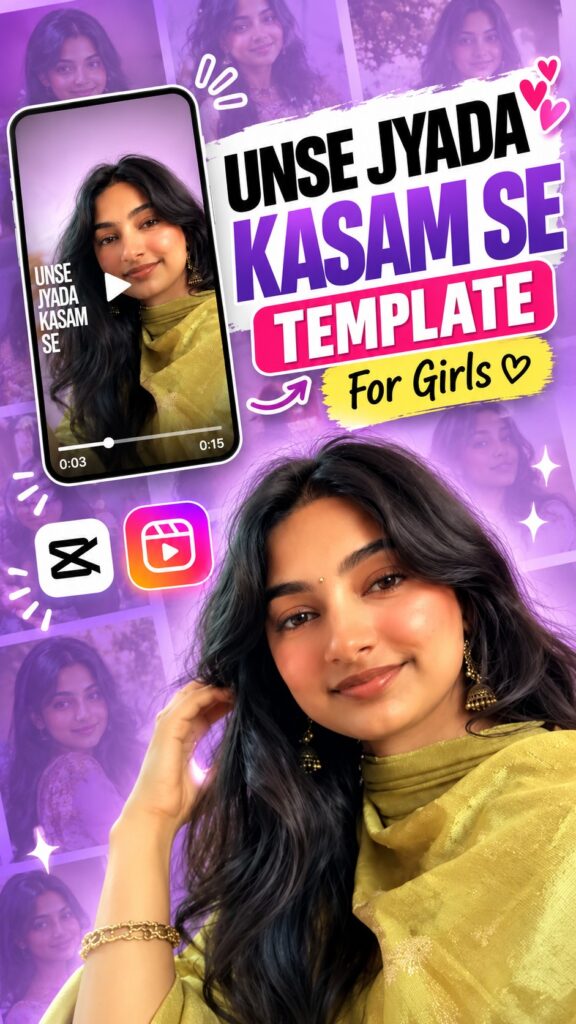
The Unse Zyada Kasam Se template is the soft, romantic girls’ edit trending on Reels right now — a dreamy pastel glow, slow close-up portraits and the “unse zyada, kasam se” line appearing on screen as the music builds. The timing, text and effects are already done; you just add your own photos and export. Get the template below, with a full guide in English, Hindi and Gujarati.
Opens in the CapCut app · Free · No login required
Template details
| Template name | Unse Zyada Kasam Se Reel Edit |
| Aspect ratio | 9:16 |
| Media type | Photos or short video clips |
| Editing style | Soft romantic girls’ edit with on-screen lyric text |
| Best for | Instagram Reels, WhatsApp status, YouTube Shorts, Facebook Reels |
| Difficulty | Beginner — no editing skill needed |
English — Full Guide
What you actually get
A finished romantic reel edit with the media slots left empty. The lyric text, the soft glow and the transitions are already timed to the audio — you choose the photos that go into it, and CapCut does the rest.
It looks best with gentle, close-up portraits: a soft smile, a hand in the hair, a shy look at the camera, ideally in an ethnic outfit like a suit and dupatta. Because the edit is fixed, the photos you choose decide how dreamy the final reel looks.
Why this edit is trending
Lyric edits like this one are made for sharing — girls post them as a status, a solo glow-up reel or a quiet message to someone special. A ready-made template turns an hour of editing into a few taps, which is why it is spreading so fast.
It also suits AI photo editing well: one clear selfie can become a set of soft, traditional portraits that drop straight into the slots.
How to use this template, step by step
-
Open the template link
Tap the Use Template on CapCut button above. It opens the template page in the CapCut app.
-
Tap “Use template”
If the template is still public and your CapCut app is up to date, a Use template button appears at the bottom. Tap it to open your gallery.
-
Pick your photos or clips
Choose clear, well-lit media — vertical portraits and couple photos suit this edit best. Fill the slots CapCut asks for; the order you tap is the order they play.
-
Fix the framing
Tap any clip on the timeline and pinch or drag until the faces sit in the middle of the frame, so nothing important gets cropped.
-
Preview it once
Play the reel from start to finish. The effects and timing are already set, so you are only checking that each photo appears where you want it.
-
Export and share
Tap export, choose the quality, and the reel saves to your phone — ready for Instagram Reels, WhatsApp status, YouTube Shorts or Facebook.
Tips for a better reel
- Soft, natural light and pastel or ethnic outfits match this edit’s mood best.
- Use sharp close-ups and keep the face clear of the area where the lyric text appears.
- Keep faces near the centre so the effects never cut them off.
- Pick photos with similar lighting so the reel feels like one story.
- Post while the trend is hot — timing matters as much as editing.
Template not working?
A CapCut template can fail to open if the creator removed it, the link expired, it is not available in your region, or your CapCut app is outdated. Update the app and open the link again. If it still does not open, the creator has most likely taken it down — it is not a problem with your phone.
Stay safe: only use official capcut.com links. Never download templates or modified CapCut APK files from unknown websites.
हिंदी — पूरी जानकारी
Unse Zyada Kasam Se Template क्या है?
यह लड़कियों के लिए एक पहले से तैयार सॉफ़्ट रोमांटिक रील टेम्पलेट है। इसमें “उनसे ज़्यादा, कसम से” वाली लाइन, हल्का ग्लो और ट्रांज़िशन पहले से म्यूज़िक पर सेट हैं — आपको सिर्फ़ अपनी फ़ोटो डालनी है, बाकी CapCut कर देता है।
सूट-दुपट्टे जैसे एथनिक लुक में मुस्कुराती क्लोज़-अप फ़ोटो इसमें सबसे अच्छी लगती हैं। ऐसी फ़ोटो न हों तो एक साफ़ सेल्फ़ी से AI फ़ोटो टूल में बना सकते हैं।
यह ट्रेंड इतना पॉपुलर क्यों है?
लिरिक वाली ऐसी रील्स लड़कियाँ स्टेटस और ग्लो-अप पोस्ट के लिए खूब इस्तेमाल करती हैं। टेम्पलेट से घंटे भर की एडिटिंग कुछ ही टैप में हो जाती है, इसलिए यह ट्रेंड तेज़ी से फैल रहा है।
टेम्पलेट इस्तेमाल करने का तरीका
-
टेम्पलेट लिंक खोलें
ऊपर दिया Use Template on CapCut बटन दबाएँ। टेम्पलेट CapCut ऐप में खुलेगा।
-
“Use template” दबाएँ
अगर टेम्पलेट अब भी पब्लिक है और आपका CapCut अपडेटेड है, तो नीचे Use template बटन दिखेगा। दबाते ही गैलरी खुल जाएगी।
-
अपनी फ़ोटो या क्लिप चुनें
साफ़ और अच्छी रोशनी वाली फ़ोटो चुनें — वर्टिकल पोर्ट्रेट और कपल फ़ोटो सबसे अच्छी रहती हैं। जितने स्लॉट माँगे उतने भर दें।
-
फ़्रेमिंग ठीक करें
टाइमलाइन पर क्लिप दबाकर पिंच या ड्रैग करें और चेहरा फ़्रेम के बीच लाएँ।
-
पूरा प्रीव्यू देखें
शुरू से आख़िर तक चलाकर देखें कि हर फ़ोटो सही जगह आ रही है।
-
एक्सपोर्ट करके शेयर करें
एक्सपोर्ट दबाएँ, क्वालिटी चुनें, और रील आपके फ़ोन में सेव हो जाएगी।
टेम्पलेट काम नहीं कर रहा?
टेम्पलेट न खुलने के कई कारण हो सकते हैं — क्रिएटर ने उसे हटा दिया हो, लिंक एक्सपायर हो गया हो, आपके क्षेत्र में उपलब्ध न हो, या CapCut ऐप पुराना हो। ऐप अपडेट करके दोबारा कोशिश करें।
सावधानी: सिर्फ़ ऑफिशियल capcut.com लिंक इस्तेमाल करें।
ગુજરાતી — સંપૂર્ણ માહિતી
Unse Zyada Kasam Se Template શું છે?
આ છોકરીઓ માટે પહેલેથી તૈયાર સોફ્ટ રોમેન્ટિક રીલ ટેમ્પલેટ છે. તેમાં “ઉનસે જ્યાદા, કસમ સે” વાળી લાઇન, હળવો ગ્લો અને ટ્રાન્ઝિશન પહેલેથી મ્યુઝિક પર સેટ છે — તમારે ફક્ત તમારા ફોટા ઉમેરવાના છે, બાકીનું CapCut કરી દે છે.
સૂટ-દુપટ્ટા જેવા એથનિક લુકમાં હસતા ક્લોઝ-અપ ફોટા આમાં સૌથી સારા લાગે છે. એવા ફોટા ન હોય તો એક સ્પષ્ટ સેલ્ફીમાંથી AI ફોટો ટૂલથી બનાવી શકો.
ટેમ્પલેટ વાપરવાની રીત
-
ટેમ્પલેટ લિંક ખોલો
ઉપર આપેલું Use Template on CapCut બટન દબાવો.
-
“Use template” દબાવો
ટેમ્પલેટ પબ્લિક હોય અને CapCut અપડેટેડ હોય તો નીચે Use template બટન દેખાશે.
-
તમારા ફોટા કે ક્લિપ પસંદ કરો
સ્પષ્ટ, સારી રોશનીવાળા વર્ટિકલ પોર્ટ્રેટ અને કપલ ફોટા આ એડિટમાં સૌથી સારા લાગે છે.
-
ફ્રેમિંગ ગોઠવો
ક્લિપ દબાવીને પિંચ કે ડ્રેગ કરો જેથી ચહેરો ફ્રેમની વચ્ચે આવે.
-
આખું પ્રીવ્યૂ જુઓ
શરૂથી અંત સુધી ચલાવીને જુઓ કે દરેક ફોટો યોગ્ય જગ્યાએ છે.
-
એક્સપોર્ટ કરીને શેર કરો
એક્સપોર્ટ દબાવો, ક્વોલિટી પસંદ કરો, અને રીલ તમારા ફોનમાં સેવ થશે.
ટેમ્પલેટ કામ નથી કરતું?
લિંક ઘણાં કારણોસર કામ ન કરે: ક્રિએટરે હટાવી દીધી હોય, લિંક એક્સપાયર થઈ હોય, તમારા વિસ્તારમાં ઉપલબ્ધ ન હોય, અથવા CapCut ઍપ જૂની હોય. ઍપ અપડેટ કરીને ફરી પ્રયાસ કરો.
સાવચેતી: ફક્ત ઑફિશિયલ capcut.com લિંક વાપરો.
Need photos for this template?
Soft, traditional portraits make this edit shine. Create them from one selfie with these AI photo prompts: