
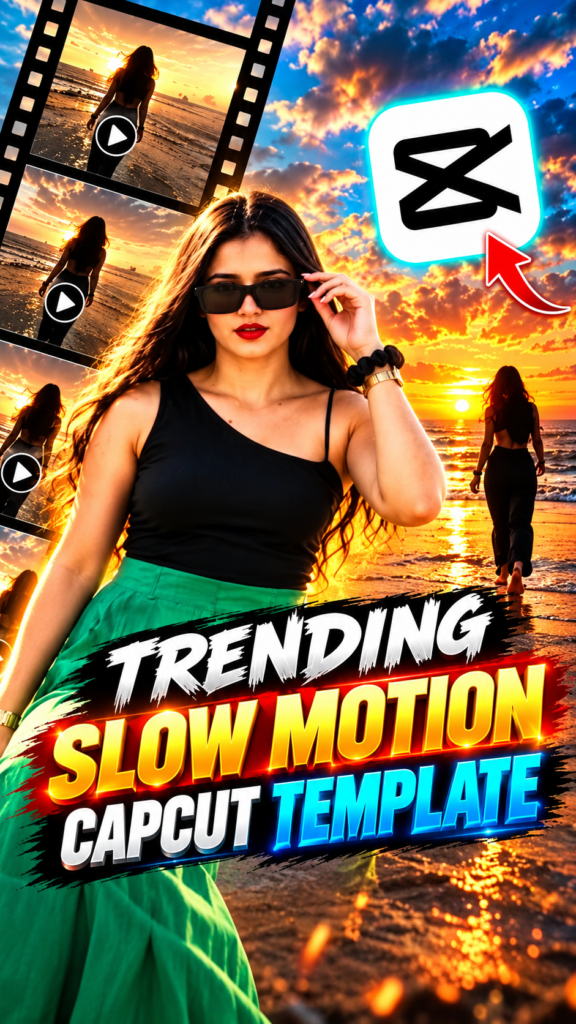
The Trending Slow Motion CapCut Template is spreading fast across Reels right now — a smooth, cinematic edit built around a blurred opening shot, slow-motion clip reveals, and beat-matched transitions. It works for beach photos, travel clips, or any footage you want to feel slower and more dramatic. Grab the template below — the timing and effects are already built, you only drop in your own photos and clips. Full guide in English, Hindi and Gujarati.
Opens in the CapCut app · Free · No login required
Template details
| Template name | Trending Slow Motion Reel Edit |
| Aspect ratio | 9:16 |
| Media type | Photos or short video clips |
| Editing style | Blurred intro, slow-motion reveals, smooth cinematic transitions |
| Best for | Instagram Reels, WhatsApp status, YouTube Shorts, Facebook Reels |
| Difficulty | Beginner — no editing skill needed |
English — Full Guide
What you actually get
This is a finished edit with the clip slots left empty. The template opens on a simple blurred clip, then several short clips appear one after another with smooth slow-motion movement and transitions timed to the music — you are placing your own photos or clips into a sequence someone else already built and tested.
It suits beach photos, travel clips, golden-hour shots, or any footage you want to feel calmer and more cinematic. Because the structure is fixed, the only variable left is the media you choose — which is where a reel is won or lost.
Why this edit took off
Reach on short video is cheap right now; the expensive part is the editing hour behind every upload. A template collapses that hour into the time it takes to pick a few photos, which is the entire reason this format spreads the way it does.
This particular edit leans on mood: a slow build from a blurred opening, gentle slow-motion reveals, and smooth transitions that flatter sunset, beach and travel footage especially well.
How to use this template, step by step
-
Open the template link
Tap the Use Template on CapCut button above, or the “Use on CapCut” button you saw on the Reel that brought you here. Both open the same template page.
-
Tap “Use template”
If the template is still public and matches your CapCut version, a Use template button appears at the bottom. Tapping it opens the project in CapCut with your gallery ready.
-
Choose your photos or clips
Select clear, high-quality media — portrait photos and vertical clips usually work best for social media. Fill the slots CapCut asks for; the order you tap is the order they play.
-
Adjust the framing
Tap any clip on the timeline and pinch or drag until the subject sits mid-frame. The slow-motion reveals hold on each clip a little longer, so a poorly framed shot stands out more than in a fast-cut edit.
-
Preview the whole thing
Play it start to finish. CapCut has already applied the transitions, effects and timing, so you are only checking that each photo lands where you want it and nothing important is cropped out.
-
Export and share
Tap export, choose the quality you want, and the reel saves to your device. From there it goes straight to Instagram Reels, Facebook, YouTube Shorts or WhatsApp status.
Tips for a better reel
- Use bright, high-resolution photos — low-quality images look soft once slow motion stretches them out.
- Golden-hour, beach and travel shots suit this template’s mood especially well.
- Keep the subject near the centre so the slow-motion reveals do not cut off faces.
- Use clips or photos with similar lighting so the reel looks consistent start to finish.
- Post while the trend is still active — timing matters as much as editing.
Template not working?
A CapCut template may fail to open for several reasons: the creator removed it, the link expired, it is restricted in your region, or your CapCut app is outdated. Update the app and open the link again. If it still fails, the template has most likely been taken down by its creator — this does not mean there is a problem with your phone.
Stay safe: only use official capcut.com links. Never download templates or modified CapCut APK files from unknown websites.
हिंदी — पूरी जानकारी
Trending Slow Motion CapCut Template क्या है?
यह एक पहले से तैयार वीडियो एडिटिंग टेम्पलेट है। इसकी शुरुआत एक ब्लर क्लिप से होती है, फिर कई छोटी क्लिप एक के बाद एक स्मूद स्लो-मोशन मूवमेंट और ट्रांज़िशन के साथ आती हैं। आपको सिर्फ़ अपनी फ़ोटो या क्लिप डालनी है और CapCut पूरा एडिटिंग स्टाइल अपने आप लगा देता है।
यह बीच, ट्रैवल और गोल्डन-ऑवर फ़ोटो के लिए खासतौर पर अच्छा लगता है। यह वर्टिकल वीडियो के लिए बना है, इसलिए Instagram Reels, स्टेटस वीडियो और YouTube Shorts के लिए एकदम सही है।
यह ट्रेंड इतना पॉपुलर क्यों है?
शॉर्ट वीडियो से नए दर्शकों तक पहुँचना आसान है, लेकिन शुरू से वीडियो एडिट करने में काफ़ी समय लगता है। टेम्पलेट यह काम आसान कर देता है क्योंकि पूरी एडिटिंग पहले से तैयार रहती है — धीमी, सिनेमैटिक रफ़्तार वाली यह स्टाइल सनसेट और बीच फ़ुटेज पर खूब जँचती है।
टेम्पलेट इस्तेमाल करने का तरीका
-
टेम्पलेट लिंक खोलें
ऊपर दिया Use Template on CapCut बटन दबाएँ, या जिस रील से आप यहाँ आए उसमें दिखा “Use on CapCut” बटन। दोनों एक ही टेम्पलेट पेज खोलते हैं।
-
“Use template” दबाएँ
अगर टेम्पलेट अब भी पब्लिक है और आपके CapCut वर्ज़न से मेल खाता है, तो नीचे Use template बटन दिखेगा। दबाते ही प्रोजेक्ट CapCut में खुलेगा।
-
अपनी फ़ोटो या क्लिप चुनें
साफ़ और अच्छी क्वालिटी का मीडिया चुनें — पोर्ट्रेट फ़ोटो और वर्टिकल क्लिप सबसे अच्छी रहती हैं। CapCut जितने स्लॉट माँगे उतने भर दें।
-
फ़्रेमिंग ठीक करें
टाइमलाइन पर क्लिप दबाकर पिंच या ड्रैग करें और चेहरा फ़्रेम के बीच लाएँ।
-
पूरा प्रीव्यू देखें
शुरू से आख़िर तक चलाकर देखें कि हर फ़ोटो सही जगह है।
-
एक्सपोर्ट करके शेयर करें
एक्सपोर्ट दबाएँ, क्वालिटी चुनें, और रील सेव हो जाएगी।
टेम्पलेट काम नहीं कर रहा?
टेम्पलेट न खुलने के कई कारण हो सकते हैं — क्रिएटर ने उसे हटा दिया हो, लिंक एक्सपायर हो गया हो, आपके क्षेत्र में उपलब्ध न हो, या CapCut ऐप पुराना हो। ऐप अपडेट करके दोबारा कोशिश करें।
सावधानी: सिर्फ़ ऑफिशियल capcut.com लिंक इस्तेमाल करें।
ગુજરાતી — સંપૂર્ણ માહિતી
Trending Slow Motion CapCut Template શું છે?
આ પહેલેથી તૈયાર વિડિયો એડિટિંગ ટેમ્પલેટ છે. તેની શરૂઆત એક બ્લર ક્લિપથી થાય છે, પછી ઘણી ટૂંકી ક્લિપ એક પછી એક સ્મૂધ સ્લો-મોશન મૂવમેન્ટ અને ટ્રાન્ઝિશન સાથે આવે છે. તમારે ફક્ત તમારા ફોટા કે ક્લિપ ઉમેરવાના છે અને CapCut આખી એડિટિંગ સ્ટાઇલ જાતે લગાવી દે છે.
આ બીચ, ટ્રાવેલ અને ગોલ્ડન-અવર ફોટા માટે ખાસ કરીને સારું લાગે છે. તે વર્ટિકલ વિડિયો માટે બનેલું છે, એટલે Instagram Reels અને YouTube Shorts માટે એકદમ યોગ્ય છે.
ટેમ્પલેટ વાપરવાની રીત
-
ટેમ્પલેટ લિંક ખોલો
ઉપર આપેલું Use Template on CapCut બટન દબાવો.
-
“Use template” દબાવો
ટેમ્પલેટ પબ્લિક હોય તો નીચે Use template બટન દેખાશે.
-
તમારા ફોટા કે ક્લિપ પસંદ કરો
સ્પષ્ટ, સારી ક્વોલિટીના પોર્ટ્રેટ ફોટા આ લેઆઉટમાં સૌથી સારા લાગે છે.
-
ફ્રેમિંગ ગોઠવો
ક્લિપ દબાવીને પિંચ કે ડ્રેગ કરો જેથી ચહેરો ફ્રેમની વચ્ચે આવે.
-
આખું પ્રીવ્યૂ જુઓ
શરૂથી અંત સુધી ચલાવીને જુઓ.
-
એક્સપોર્ટ કરીને શેર કરો
એક્સપોર્ટ દબાવો, ક્વોલિટી પસંદ કરો, અને રીલ સેવ થશે.
ટેમ્પલેટ કામ નથી કરતું?
લિંક ઘણાં કારણોસર કામ ન કરે: ક્રિએટરે હટાવી દીધી હોય, લિંક એક્સપાયર થઈ હોય, અથવા CapCut ઍપ જૂની હોય.
સાવચેતી: ફક્ત ઑફિશિયલ capcut.com લિંક વાપરો.
Need photos for this template?
Good source photos make the difference here. If you are short of shots that suit this edit, use these AI photo prompts to create some:
