
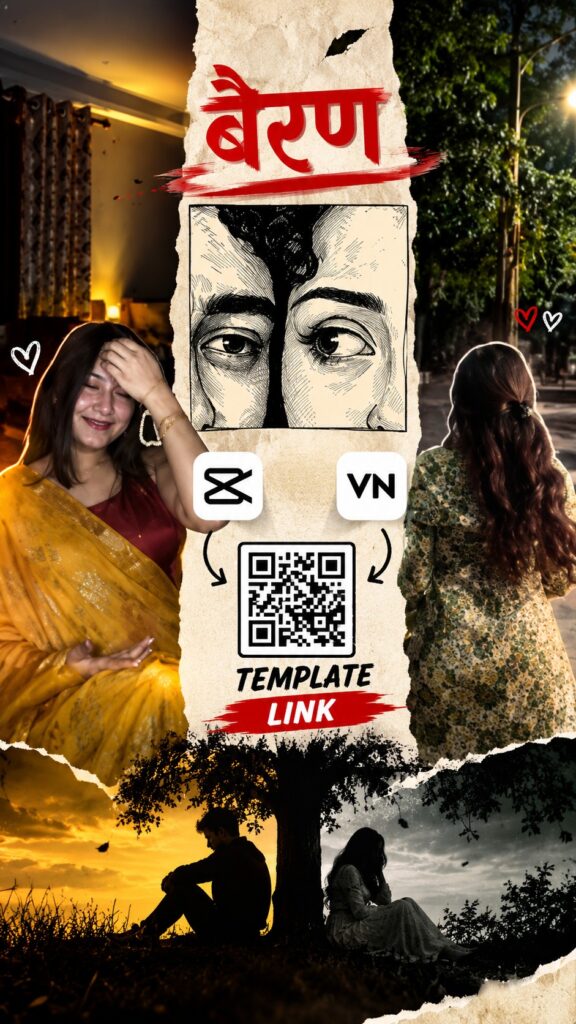
The Bairan reel edit is one of the most-used song edits of 2026, and here you get it two ways — a CapCut template link and a VN Code — so you can use whichever app you already have. Both versions sync your photos to the beat with smooth, emotional transitions. Full guide in English, Hindi and Gujarati.
Opens in the CapCut app · Free · No login required
Prefer VN Video Editor? The same edit is also available as a VN Code:
VN Code
Screenshot or save this code, then scan it inside the VN app.

Free · Available on the Play Store
Template details
| Template name | Bairan Reel Edit |
| App | CapCut and VN Video Editor |
| Aspect ratio | 9:16 |
| Media type | Photos or short video clips |
| Editing style | Beat-synced transitions with an emotional mood |
| Best for | Instagram Reels, YouTube Shorts, WhatsApp status |
| Difficulty | Beginner — no editing skill needed |
English — Full Guide
What this template does
The edit leans on beat sync: every drop in the song lands on a new photo or clip, which keeps viewers watching to the end. It works for solo portraits, couple shots and attitude reels alike.
How to use this template, step by step
-
Open the template link
Tap the Use Template on CapCut button above. It opens the template in the CapCut app.
-
Tap “Use template”
If the template is still public and CapCut is up to date, a Use template button appears at the bottom. Tap it to open your gallery.
-
Pick your media
Use 6–10 sharp vertical photos so every beat gets a fresh shot. Fill every slot CapCut asks for; the order you tap is the order they play.
-
Fix the framing
Tap any clip on the timeline and pinch or drag until faces sit in the middle of the frame.
-
Preview once
Play it from start to finish to check every photo lands where you want it.
-
Export and share
Tap export, choose the quality, and the reel saves to your phone — ready for Instagram, WhatsApp or YouTube Shorts.
Tips for a better reel
- Use 6–10 sharp vertical photos so every beat gets a fresh shot.
- Use high-resolution, vertical (9:16) media so nothing gets cropped or blurry.
- Keep faces near the centre so effects and text never cut them off.
- Post while the trend is hot — timing matters as much as editing.
Template not working?
A CapCut template can fail to open if the creator removed it, the link expired, it is not available in your region, or your CapCut app is outdated. Update the app and try again. If it still does not open, the creator has most likely taken it down — it is not a problem with your phone.
Stay safe: only use official capcut.com links. Never download modified CapCut APK files.
हिंदी — पूरी जानकारी
यह टेम्पलेट क्या है?
Bairan रील एडिट 2026 के सबसे ट्रेंडिंग गानों में से है — यहाँ CapCut लिंक और VN Code दोनों मिलेंगे। बीट पर फ़ोटो बदलती हैं और भावुक ट्रांज़िशन अपने आप लगते हैं।
इस्तेमाल करने का तरीका
-
टेम्पलेट लिंक खोलें
ऊपर दिया Use Template on CapCut बटन दबाएँ। टेम्पलेट CapCut ऐप में खुलेगा।
-
“Use template” दबाएँ
टेम्पलेट पब्लिक हो और CapCut अपडेटेड हो तो नीचे Use template बटन दिखेगा।
-
अपनी फ़ोटो या क्लिप चुनें
साफ़, अच्छी रोशनी वाली मीडिया चुनें और जितने स्लॉट माँगे उतने भरें।
-
फ़्रेमिंग ठीक करें
टाइमलाइन पर क्लिप दबाकर पिंच या ड्रैग करें ताकि चेहरा बीच में रहे।
-
प्रीव्यू देखें
शुरू से आख़िर तक चलाकर देखें कि हर फ़ोटो सही जगह आ रही है।
-
एक्सपोर्ट करके शेयर करें
एक्सपोर्ट दबाएँ, क्वालिटी चुनें और रील फ़ोन में सेव हो जाएगी।
टेम्पलेट काम नहीं कर रहा?
क्रिएटर ने टेम्पलेट हटा दिया हो, लिंक एक्सपायर हो गया हो, आपके क्षेत्र में उपलब्ध न हो या CapCut पुराना हो तो टेम्पलेट नहीं खुलता। ऐप अपडेट करके दोबारा कोशिश करें।
सावधानी: सिर्फ़ ऑफिशियल capcut.com लिंक इस्तेमाल करें।
ગુજરાતી — સંપૂર્ણ માહિતી
આ ટેમ્પલેટ શું છે?
Bairan રીલ એડિટ 2026ના સૌથી ટ્રેન્ડિંગ ગીતોમાંનું એક છે — અહીં CapCut લિંક અને VN Code બંને મળશે. બીટ પર ફોટા બદલાય છે અને લાગણીસભર ટ્રાન્ઝિશન જાતે લાગે છે.
વાપરવાની રીત
-
ટેમ્પલેટ લિંક ખોલો
ઉપર આપેલું Use Template on CapCut બટન દબાવો. ટેમ્પલેટ CapCut ઍપમાં ખુલશે.
-
“Use template” દબાવો
ટેમ્પલેટ પબ્લિક હોય અને CapCut અપડેટેડ હોય તો નીચે Use template બટન દેખાશે.
-
તમારા ફોટા કે ક્લિપ પસંદ કરો
સ્પષ્ટ, સારી રોશનીવાળી મીડિયા પસંદ કરો અને જેટલા સ્લોટ માગે એટલા ભરો.
-
ફ્રેમિંગ ગોઠવો
ક્લિપ દબાવીને પિંચ કે ડ્રેગ કરો જેથી ચહેરો વચ્ચે રહે.
-
પ્રીવ્યૂ જુઓ
શરૂથી અંત સુધી ચલાવીને જુઓ કે દરેક ફોટો યોગ્ય જગ્યાએ છે.
-
એક્સપોર્ટ કરીને શેર કરો
એક્સપોર્ટ દબાવો, ક્વોલિટી પસંદ કરો અને રીલ ફોનમાં સેવ થશે.
ટેમ્પલેટ કામ નથી કરતું?
ક્રિએટરે ટેમ્પલેટ હટાવી દીધું હોય, લિંક એક્સપાયર થઈ હોય, તમારા વિસ્તારમાં ઉપલબ્ધ ન હોય કે CapCut જૂનું હોય તો ટેમ્પલેટ ખૂલતું નથી. ઍપ અપડેટ કરીને ફરી પ્રયાસ કરો.
સાવચેતી: ફક્ત ઑફિશિયલ capcut.com લિંક વાપરો.
Need photos for this template?
Good photos make this edit work. If you need some, create them with these AI photo prompts:
