
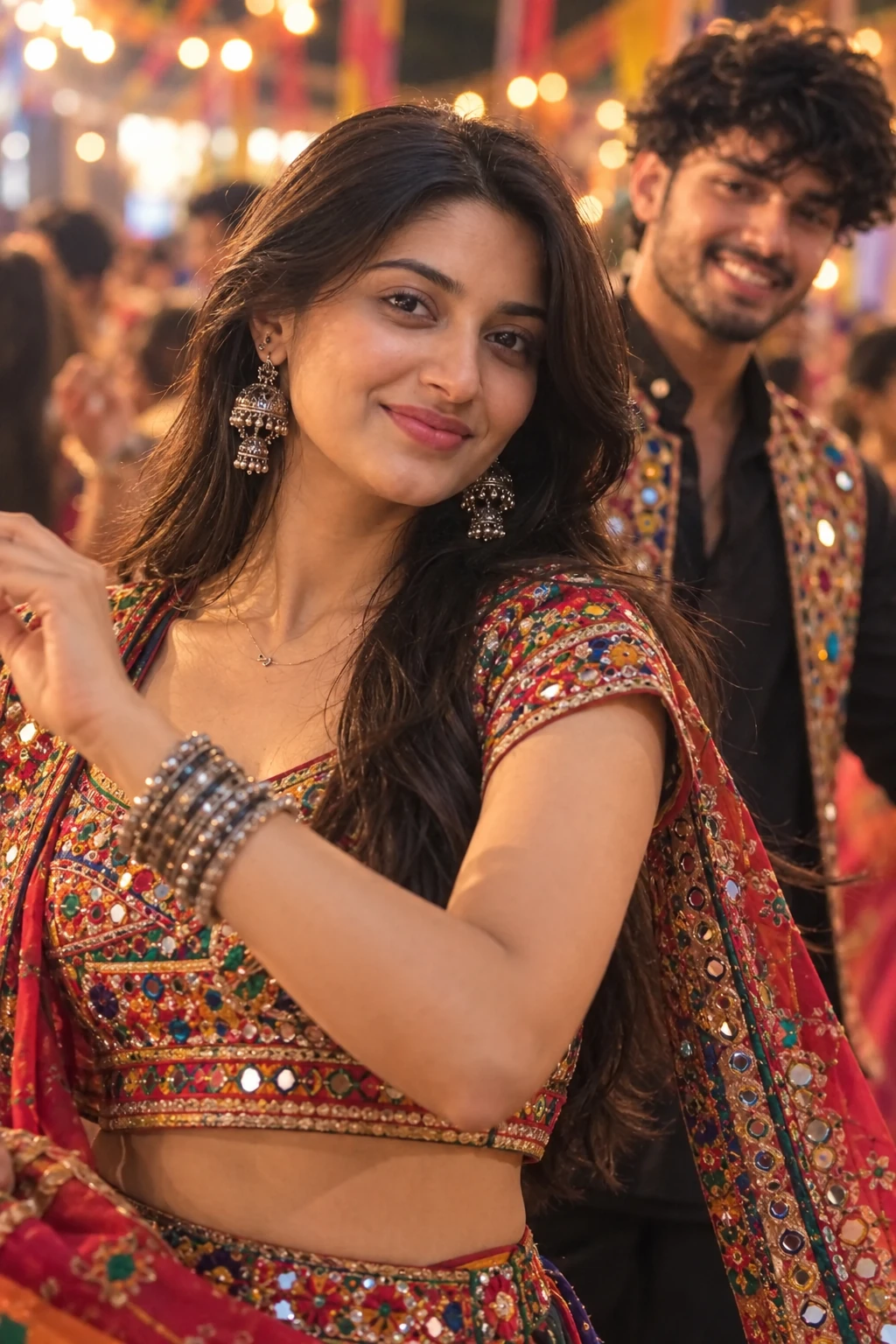
Navratri Garba Girl Colorful Chaniya Choli Dandiya
Copy this festival ai photo prompt below and paste it into ChatGPT with your own photo.
Keep the same characters, outfits, faces, hairstyles, and overall festive environment. Create a cinematic close-up portrait of the young woman during the Garba celebration. Frame her from the chest up, with her cheerful face as the main focus. She is captured in a graceful dance moment, slightly turning her face toward the camera with a bright natural smile, one hand gently raised near her shoulder in an elegant Garba gesture. Her traditional Gujarati chaniya choli, intricate mirror work, jewelry, and dupatta details are clearly visible. In the softly blurred background, the young Indian man wearing a black kurta, embroidered jacket, and stylish glasses is subtly visible, creating a natural couple/festival atmosphere. Warm colorful Navratri lights, beautiful bokeh, realistic skin texture, sharp facial details, shallow depth of field, cinematic lighting, professional DSLR photography, ultra-realistic, 4K film still.

Negative Prompt: Low quality, blurry face, distorted facial features, deformed anatomy, extra fingers, extra limbs, unnatural hands, plastic skin, excessive beautification, flat lighting, text, watermark, logo.
Best with: ChatGPT
This festival ai photo prompt turns an ordinary photo into a polished festival image in a single generation. You get the same look you see above — no editing skills needed. It leans on a cinematic finish.
How to use this festival ai photo prompt
- Tap Copy prompt above to copy the full text.
- Open ChatGPT and start a new chat.
- Upload the photo you want to transform.
- Paste the prompt and send it.
- If the first result is not quite right, regenerate once or twice — small changes in wording shift the style a lot.
Tips for a better result
- Crop before you generate. Removing clutter from the edges usually beats asking the model to remove it.
- Say what you don’t want. Adding “no text, no watermark” at the end removes most stray artefacts.
- Keep the face unchanged. Add “keep my face exactly the same” if the likeness drifts.
Who this festival prompt suits
This one works especially well for Girls. It suits Instagram posts, profile pictures, and WhatsApp display photos, and it holds up on both phone and desktop screens.
More prompts like this
Browse every festival prompt in this collection, or head back to the PromptPin homepage for the newest AI photo prompts. All of them are free to copy and use.
Want the theory behind the look? Read up on colour grading.
What makes this festival style work
Three things do most of the heavy lifting here. The lighting is described precisely rather than left to chance. The framing and camera angle are stated up front, which keeps the subject in proportion. And the finish — grain, contrast, and colour grade — is spelled out at the end, which is what separates a snapshot from something that looks deliberately shot.
You can reuse this structure for your own ideas. Keep the sentence order — subject, setting, lighting, camera, finish — and swap the descriptive words. Prompts written this way behave far more predictably than one long sentence.
More prompts like this
- Kedarnath Photo Prompt For Girls
- Shree Krishna Prompt Festival AI Photo Prompt for Girls
- Rainy Season Couple Photo Prompts
- Sawan 2026 Shiv Abhishek AI Photo Prompt
- Kedarnath Temple Photo Prompts Festival AI Photo Prompt for Boys
- Kedarnath Prompt For Girls Festival AI Photo Prompt
- Horror Photo Prompt AI Photo Prompt for Boys
