
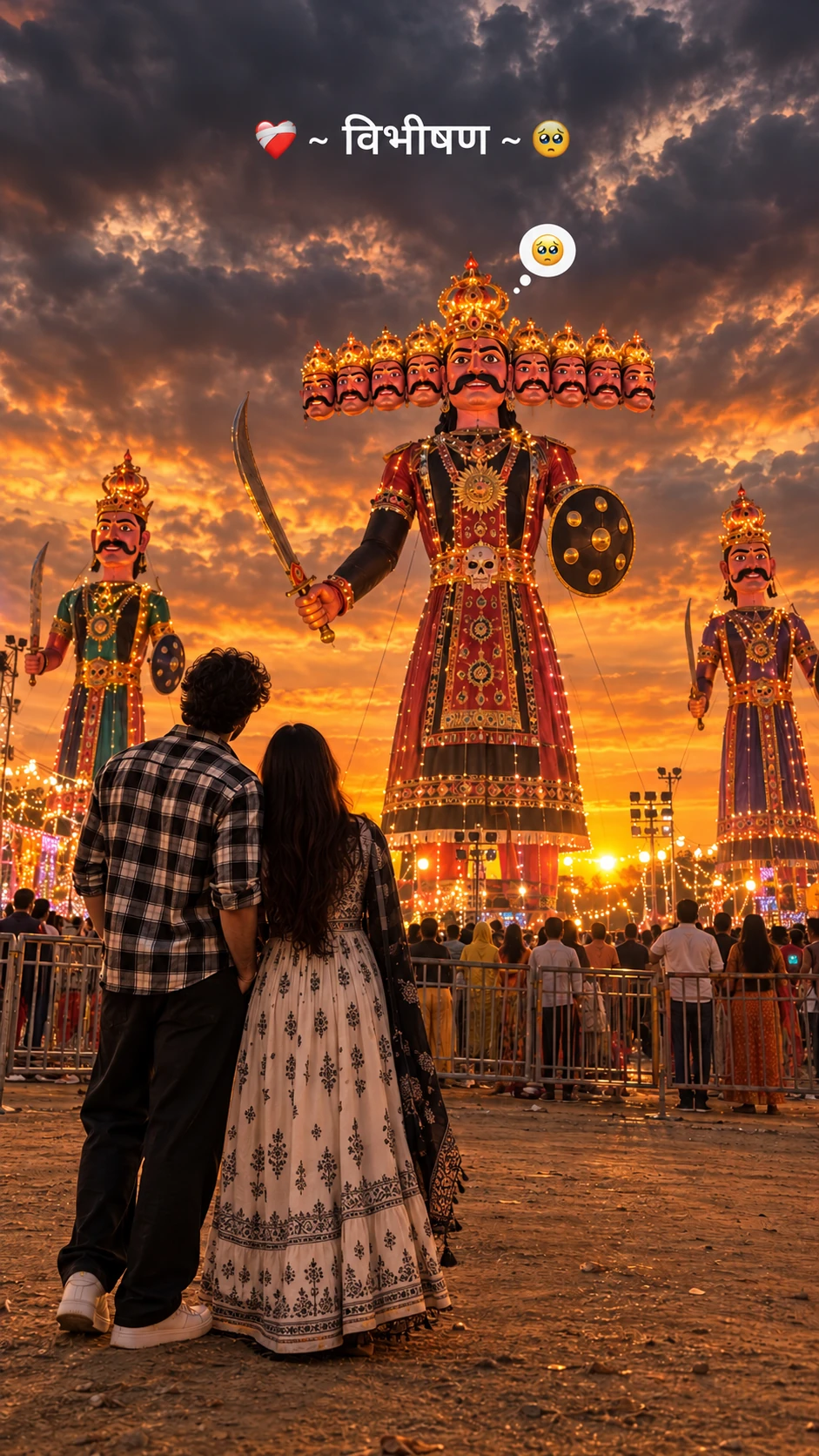
Dussehra Couple Photo with Ravan AI Prompt
Copy this festival prompt below and paste it into ChatGPT with your own photo.
Create an ultra-realistic, cinematic 4K photograph of a young person standing in the foreground with their back facing the camera, looking at a giant Ravana effigy during a Dussehra festival at sunset. The person is wearing a black-and-white checkered oversized shirt, loose black trousers, and white sneakers, with long dark hair falling naturally down the back. In the background, show three enormous traditional Ravana effigies, with the tallest one in the center featuring ten heads, an elaborate golden crown, a thick black moustache, traditional red and black royal attire, golden jewelry, a curved sword, and a round shield. Two smaller decorated effigies stand on either side. The sky is filled with dramatic dark grey monsoon clouds, with a warm golden-orange sunset glowing along the horizon. Festival lights, distant crowds, metal barricades, and an open dusty ground create an authentic Indian Dussehra Mela atmosphere. Composition: Vertical 9:16 smartphone wallpaper, full-body rear view of the person positioned in the lower-left foreground, giant Ravana effigy dominating the center, low-angle cinematic perspective, realistic proportions, natural depth, atmospheric lighting, subtle film grain, detailed fabric textures, moody color grading, warm sunset highlights, deep cloudy shadows, professional photography, realistic skin and hair texture. Text overlay at the top: “❤️🩹 ~ विभीषण ~ 🥺” in clean, bold white Devanagari typography. Add a small cute thought bubble above the central Ravana effigy containing a pleading, teary-eyed emoji. Quality: Photorealistic, highly detailed, natural lighting, sharp focus, cinematic contrast, realistic festival environment, 4K quality. Negative prompt: Cartoon, anime, illustration, blurry image, oversaturated colors, extra limbs, distorted effigy faces, incorrect number of Ravana heads, duplicate people, artificial lighting, low resolution, watermark, unwanted text, distorted body proportions.
Best with: ChatGPT
This festival prompt turns an ordinary photo into a polished festival image in a single generation. You get the same look you see above — no editing skills needed. It leans on golden-hour light, an outdoor setting and a cinematic finish.
What this prompt creates
The instruction places the subject in an outdoor setting, lights them with golden-hour light, finishes with a cinematic finish and frames it as a vertical 9:16 frame. At roughly 268 words it is a detailed prompt, so expect the model to follow it closely — either way, the result stays recognisably you because the source photo drives the likeness.
How to use this festival prompt
- Tap Copy prompt above to copy the full text.
- Open ChatGPT and start a new chat.
- Upload the photo you want to transform.
- Paste the prompt and send it.
- If the first result is not quite right, regenerate once or twice — small changes in wording shift the style a lot.
Tips for a better result
- Match the light. This prompt asks for golden-hour light, so a source photo shot in similar conditions needs far less correction.
- Mind the background. It replaces your backdrop with an outdoor setting — a source photo with a plain or blurred background swaps over most cleanly.
- Shoot for the crop. The output is a vertical 9:16 frame, so leave headroom in your original rather than filling the frame.
- Crop before you generate. Removing clutter from the edges usually beats asking the model to remove it.
- Say what you don’t want. Adding “no text, no watermark” at the end removes most stray artefacts.
Who this festival prompt suits
This one works especially well for Couple. It suits Instagram posts, profile pictures, and WhatsApp display photos, and it holds up on both phone and desktop screens.
More prompts like this
Browse every festival prompt in this collection, or head back to the PromptPin homepage for the newest AI photo prompts. All of them are free to copy and use.
Want the theory behind the look? Read up on portrait photography basics.
What makes this festival style work
Three things do most of the heavy lifting here. The lighting is described precisely rather than left to chance. The framing and camera angle are stated up front, which keeps the subject in proportion. And the finish — grain, contrast, and colour grade — is spelled out at the end, which is what separates a snapshot from something that looks deliberately shot.
You can reuse this structure for your own ideas. Keep the sentence order — subject, setting, lighting, camera, finish — and swap the descriptive words. Prompts written this way behave far more predictably than one long sentence.
More prompts like this
- Kedarnath Temple Photo Prompts Festival AI Photo Prompt for Boys
- Kedarnath Prompt For Girls Festival AI Photo Prompt
- Kedarnath Photo Prompt For Girls
- Shree Krishna Prompt Festival AI Photo Prompt for Girls
- Rainy Season Couple Photo Prompts
- Sawan 2026 Shiv Abhishek AI Photo Prompt
- Horror Photo Prompt AI Photo Prompt for Boys