
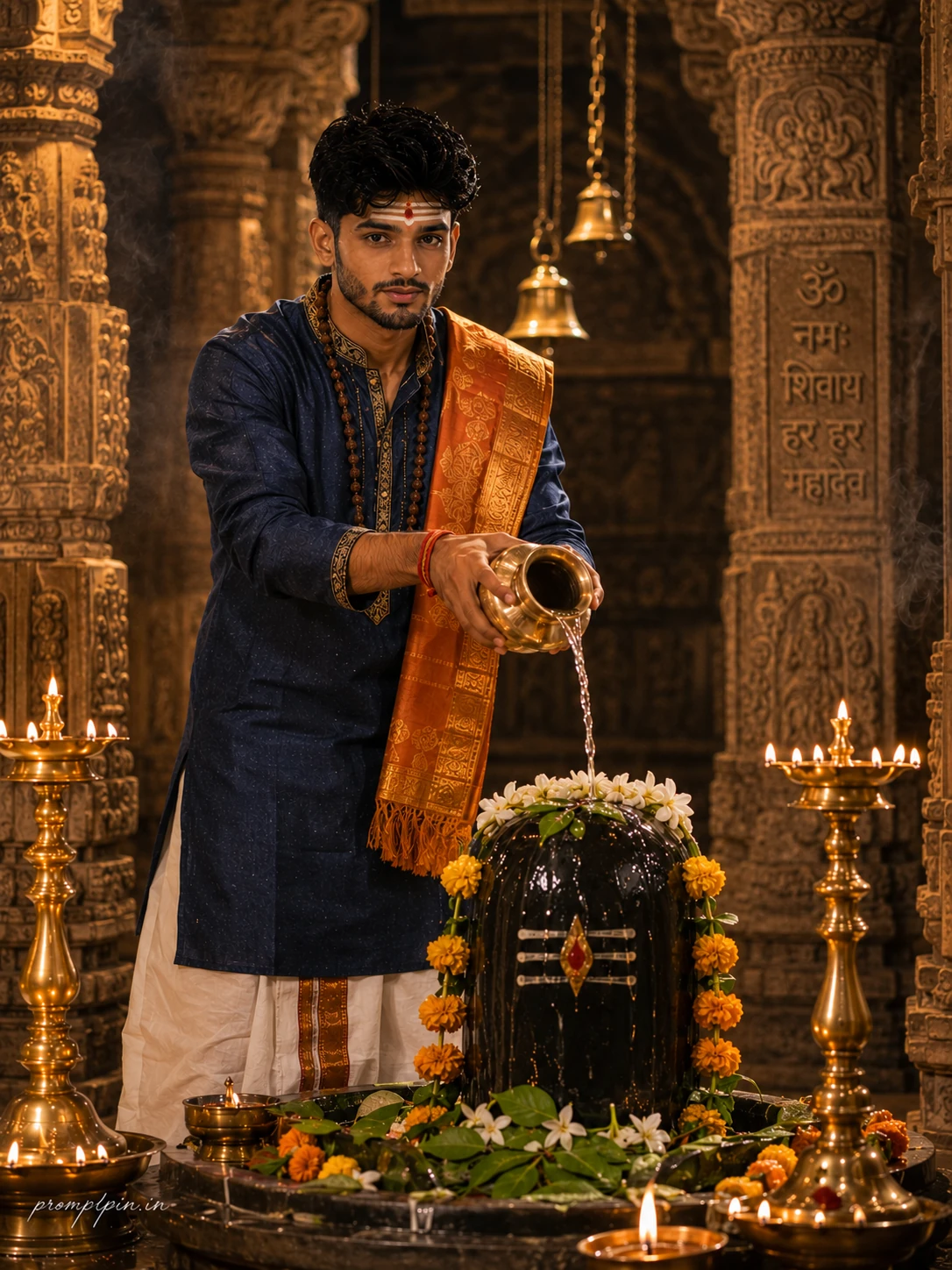
Cinematic Shiv Bhakt AI Photo Editing Prompt
The story behind this one: everything here is built for a temple’s actual visual language rather than a generic ‘spiritual’ filter — the carved stone pillars, the hanging brass bells, the Sanskrit inscription in the background, the tilak and rudraksha mala, the exact pose of pouring water over the Shivling mid-abhishek. It’s meant for someone who wants a devotional photo that looks like it was taken inside a real, specific temple during a real ritual, not a generic temple backdrop with a person standing in front of it.
Copy this portrait prompt below and paste it into ChatGPT with your own photo.
A soft golden glow is already warming the ancient carved stone pillars when he steps into frame. His face is kept exactly true to the uploaded reference, every feature stays untouched, the eyes, the jawline, the beard shape, the skin tone, all preserved exactly as they are. A handsome young Indian man around 24 years old stands tall beside a large black Shivling, both hands raised holding a polished brass kalash tilted forward, a clean thin stream of holy water pouring over the decorated stone in a steady arc of devotion. He wears a rich navy blue embroidered silk kurta with fine gold zari detailing at the collar and cuffs, a crisp off-white traditional dhoti with a saffron border, a silk shawl in deep saffron draped across his left shoulder, a sacred Rudraksha mala resting against his chest, and a red kalava tied on his right wrist. His hair is neatly styled back, a subtle tilak of white ash and vermilion on his forehead, expression calm and spiritually focused with eyes slightly closed. The Shivling is garlanded with fresh white champa flowers, bilva leaves, and glowing saffron marigolds. Warm oil lamp clusters on either side of the Shivling cast dramatic golden shadows across carved stone flooring. Sanskrit inscriptions and ancient bell chains blur softly in the background. Nikon Z9 at 85mm f/1.8, ISO 640, cinematic gold and deep indigo color grading, ultra-realistic skin and fabric texture, RAW DSLR photography, 8K resolution, vertical 3:4 composition. Luxury lifestyle editorial look throughout, tasteful and classy in every detail, platform-safe styling, cinematic light and natural skin tone. ,warm daylight and soft shadow color grading, ultra-realistic natural skin texture, photorealistic RAW DSLR quality, 8K resolution, vertical Premium magazine aesthetic from head to toe, platform-safe and elegant, natural skin finish, cinematic light wrapping the entire frame beautifully. Add “promptpin.in” as a small watermark at the bottom-left corner, Petit Formal Script font, thin elegant cursive strokes, soft white color rgba(FFFFFF), 1px letter-spacing, subtle premium handwritten signature style, slight transparency, minimal and refined, no background on text, blends naturally into the image.
Best with: ChatGPT
This portrait prompt turns an ordinary photo into a polished portrait image in a single generation. You get the same look you see above — no editing skills needed. It leans on golden-hour light and a cinematic finish.
What this prompt creates
The instruction lights them with golden-hour light, finishes with a cinematic finish and and frames it as a vertical 9:16 frame. At roughly 343 words it is a detailed prompt, so expect the model to follow it closely — either way, the result stays recognisably you because the source photo drives the likeness.
How to use this portrait prompt
- Tap Copy prompt above to copy the full text.
- Open ChatGPT and start a new chat.
- Upload the photo you want to transform.
- Paste the prompt and send it.
- If the first result is not quite right, regenerate once or twice — small changes in wording shift the style a lot.
Tips for a better result
- Match the light. This prompt asks for golden-hour light, so a source photo shot in similar conditions needs far less correction.
- Shoot for the crop. The output is a vertical 9:16 frame, so leave headroom in your original rather than filling the frame.
- Keep the face unchanged. Add “keep my face exactly the same” if the likeness drifts.
- Change one thing at a time. Edit the colour, outfit, or background separately rather than all at once.
- Try it twice. Image models are random — a second run often looks noticeably better.
Who this portrait prompt suits
This one works especially well for Boys. It suits Instagram posts, profile pictures, and WhatsApp display photos, and it holds up on both phone and desktop screens.
More prompts like this
Browse every portrait prompt in this collection, or head back to the PromptPin homepage for the newest AI photo prompts. All of them are free to copy and use.
What makes this portrait style work
Three things do most of the heavy lifting here. The lighting is described precisely rather than left to chance. The framing and camera angle are stated up front, which keeps the subject in proportion. And the finish — grain, contrast, and colour grade — is spelled out at the end, which is what separates a snapshot from something that looks deliberately shot.
You can reuse this structure for your own ideas. Keep the sentence order — subject, setting, lighting, camera, finish — and swap the descriptive words. Prompts written this way behave far more predictably than one long sentence.
More prompts like this
- Black & White Portrait AI Photo Prompt for Boys
- Ivory Calm Portrait AI Photo Prompt for Girls
- Silver Fox Stroll Portrait AI Photo Prompt for Girls
- Queen’s Gambit Portrait AI Photo Prompt for Girls
- Monochrome Strength Portrait AI Photo Prompt for Boys
- Midnight Poise Portrait AI Photo Prompt for Girls
- Trending Black Devil Photo Editing Prompt