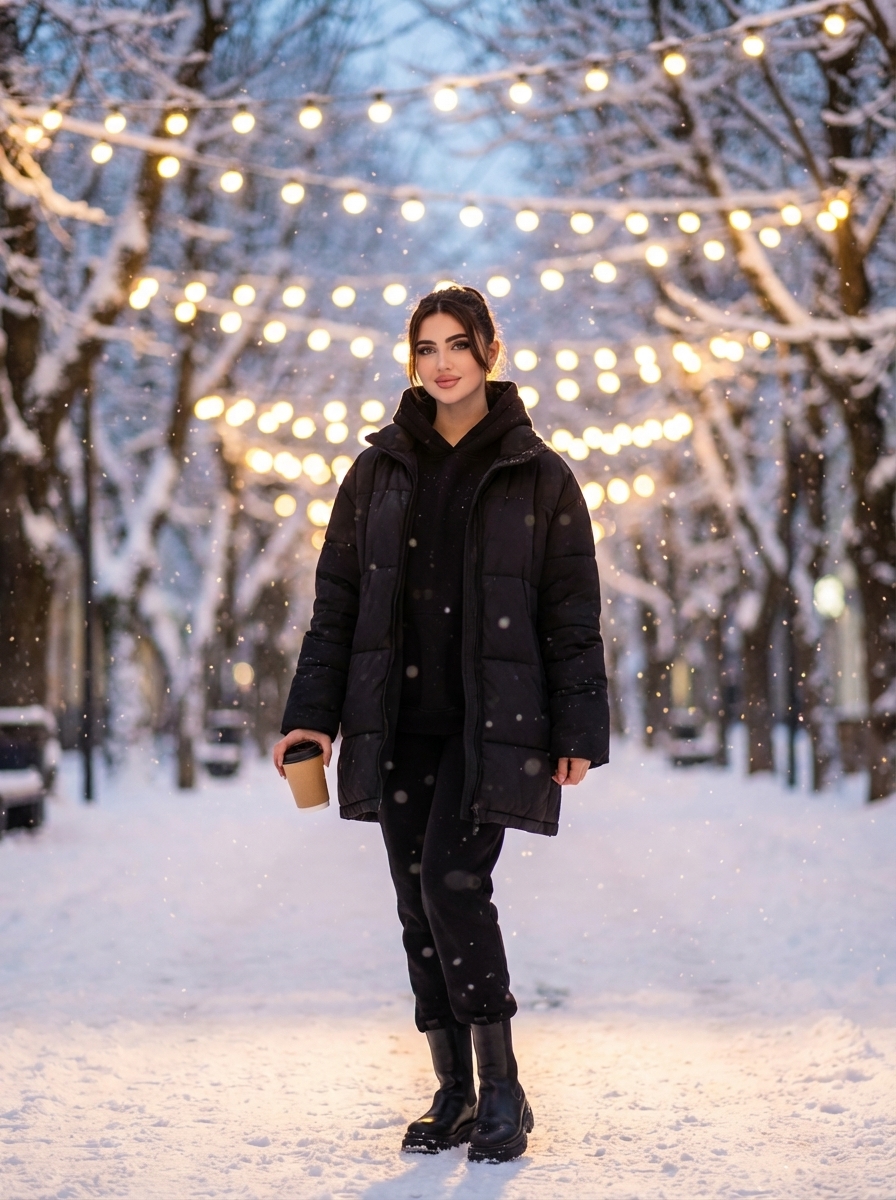
Winter Elegance on a Snowy Boulevard
The story behind this one: the warm garland lights strung overhead are doing double duty as both practical decoration and a deliberate bokeh generator, the prompt specifically calls out how they should blur into large soft circles rather than staying sharp. The contrast between cold blue-grey ambient light and the garlands’ warm gold is the actual colour idea the whole photo is built around, not just a backdrop detail.
Copy this travel ai photo prompt below and paste it into ChatGPT with your own photo.
Full-length winter street portrait of a confident young woman standing in the middle of a snow-covered alley, trees on both sides forming a tunnel. Shot with a professional camera, small depth of field, central composition, camera placed slightly below chest level with a light low angle, distance about 2–3 meters. One hand hangs relaxed along her body, the other holds a paper cup expression calm and self-assured, with a subtle confident smile or focused gaze.

She wears all black winter clothes: a voluminous black oversize down jacket, a black sweatshirt or hoodie visible underneath with soft folds at the front,short black boots with thick soles matching the jacket in tone.


Background: a winter city alley, trees completely covered with fresh snow. Several rows of warm garlands are stretched above the path, forming intersecting arcs that recede into the distance. The garlands create strong bokeh: lights blurred into large, soft circles, especially at the top of the frame and along the alley. The snow on the ground is even, almost no footprints, reflecting light and adding a soft glow.

Lighting: evening blue hour or early night. Overall light is cold, bluish-gray from the sky and snow, contrasted with the warm golden light of the garlands. The garland light gently outlines her figure, creating a subtle rim light on the edges of the jacket and hair. Small snowflakes are falling in the foreground and around her; some are slightly blurred, enhancing depth and a magical winter atmosphere.
Best with: ChatGPT
This travel ai photo prompt turns an ordinary photo into a polished travel image in a single generation. You get the same look you see above — no editing skills needed. It leans on an outdoor setting.
How to use this travel ai photo prompt
- Tap Copy prompt above to copy the full text.
- Open ChatGPT and start a new chat.
- Upload the photo you want to transform.
- Paste the prompt and send it.
- If the first result is not quite right, regenerate once or twice — small changes in wording shift the style a lot.
Tips for a better result
- Mind the background. It replaces your backdrop with an outdoor setting — a source photo with a plain or blurred background swaps over most cleanly.
- Keep the face unchanged. Add “keep my face exactly the same” if the likeness drifts.
- Change one thing at a time. Edit the colour, outfit, or background separately rather than all at once.
- Try it twice. Image models are random — a second run often looks noticeably better.
Who this travel prompt suits
This one works especially well for Girls. It suits Instagram posts, profile pictures, and WhatsApp display photos, and it holds up on both phone and desktop screens.
More prompts like this
Browse every travel prompt in this collection, or head back to the PromptPin homepage for the newest AI photo prompts. All of them are free to copy and use.
OpenAI’s guide to image generation
What makes this travel style work
Three things do most of the heavy lifting here. The lighting is described precisely rather than left to chance. The framing and camera angle are stated up front, which keeps the subject in proportion. And the finish — grain, contrast, and colour grade — is spelled out at the end, which is what separates a snapshot from something that looks deliberately shot.
You can reuse this structure for your own ideas. Keep the sentence order — subject, setting, lighting, camera, finish — and swap the descriptive words. Prompts written this way behave far more predictably than one long sentence.
More prompts like this
- Midnight Dreams in Shibuya Travel AI Photo Prompt for Girls
- Omar Faruk Jafree Travel AI Photo Prompt for Boys
- Desert Nomad – Sahara’s Whisper Travel AI Photo Prompt for Girls
- Blue Dreams of Morocco 🇲🇦 Travel AI Photo Prompt for Girls
- Arctic Warrior: Cinematic Snowstorm Portrait
- Trending Black Devil Photo Editing Prompt