
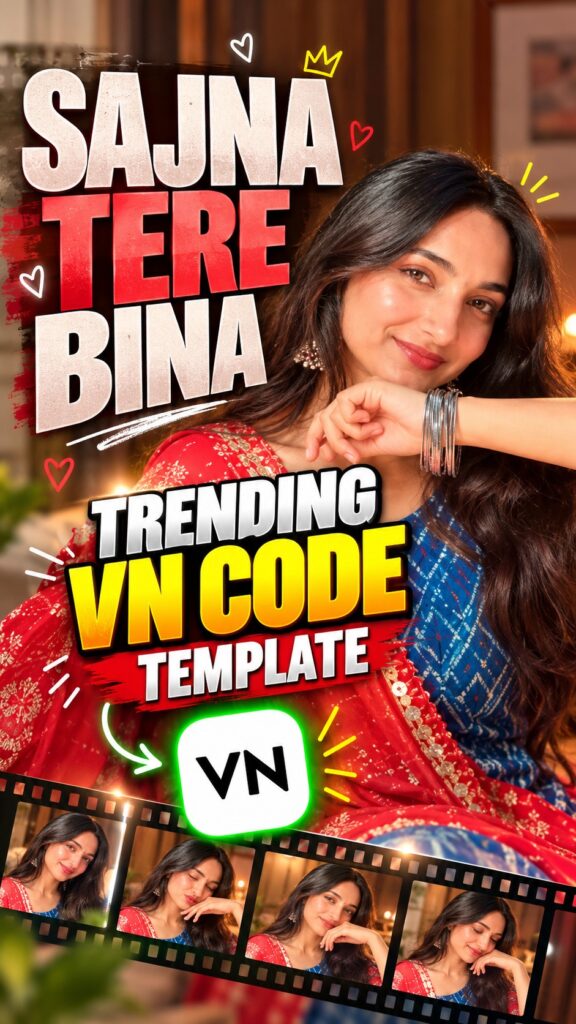
“Saanu Ek Pal Chain Na Aave” is back on Reels as a soft, romantic photo edit — your pictures slide in one after another while the classic line “sajna tere bina” plays underneath. The VN Code below holds the whole project — cuts, transitions, text and music timing — so you scan it, drop in your own photos or clips, and export. Full guide in English, Hindi and Gujarati.
VN Code
Screenshot or save this code, then scan it inside the VN app.

Free · Available on the Play Store
Template details
| Template name | Saanu Ek Pal Chain Na Aave Reel Edit |
| App | VN Video Editor (VN Code / QR) |
| Aspect ratio | 9:16 |
| Media type | Photos or short video clips |
| Editing style | Romantic, soft photo-to-photo transitions synced to the song |
| Best for | Instagram Reels, WhatsApp status, YouTube Shorts |
| Difficulty | Beginner — no editing skill needed |
English — Full Guide
What this template does
The edit turns a handful of your photos into a slow, emotional reel set to “Saanu Ek Pal Chain Na Aave”. Each picture flows into the next on the beat, so a simple set of portraits ends up feeling like a music video. Everything is already arranged inside the VN project — you only swap in your own media.
It suits solo portraits in a suit, saree or lehenga, couple pictures, or a “missing you” status. Close-up shots with soft light and a gentle smile or a shy look work best with this song.
Why it is trending
Old romantic songs with a fresh edit always do well on Reels, and this one is instantly recognisable. A VN Code saves you the whole edit — the transitions and beat timing come ready-made.
How to use this VN Code, step by step
-
Install or update VN
Get VN Video Editor from the Play Store (button above) or update it to the latest version, so the template opens correctly.
-
Save the QR code
Take a screenshot of the VN Code above or long-press it and save the image to your gallery.
-
Scan it in VN
Open VN, tap the scan / QR icon, and choose the saved QR image from your gallery. The template project opens inside VN.
-
Add your photos or clips
Replace the sample media with your own. Put your strongest close-up first — it is the shot people see before they decide to keep watching.
-
Check the framing
Tap each clip and adjust the position so your face stays in the middle and the on-screen text does not cover it.
-
Export and share
Tap export, choose the quality, and save the reel — ready for Instagram Reels, WhatsApp status or YouTube Shorts.
Tips for a better reel
- Use clear, well-lit vertical photos — warm indoor light suits this song.
- Pick photos with the same outfit or colour tone so the reel looks like one shoot.
- Mix a smile, a side look and an eyes-closed shot for an emotional feel.
- Post while the trend is still hot.
VN Code not working?
If the code does not open, update VN to the latest version and scan again from a clear, uncropped screenshot. If it still fails, the creator may have removed the template — it is not a problem with your phone.
Stay safe: install VN only from the official Play Store and never download modified APK files.
हिंदी — पूरी जानकारी
Saanu Ek Pal Chain Na Aave VN Template क्या है?
यह टेम्पलेट आपकी कुछ फ़ोटो को “Saanu Ek Pal Chain Na Aave” गाने पर एक धीमी, रोमांटिक रील में बदल देता है। हर फ़ोटो बीट पर अगली फ़ोटो में बदलती है। पूरा प्रोजेक्ट VN Code में पहले से तैयार है, आपको सिर्फ़ अपनी फ़ोटो या क्लिप बदलनी है।
सूट, साड़ी या लहंगे वाली सोलो फ़ोटो, कपल फ़ोटो या “मिसिंग यू” स्टेटस के लिए यह बढ़िया है।
VN Code इस्तेमाल करने का तरीका
-
VN इंस्टॉल या अपडेट करें
Play Store से VN Video Editor इंस्टॉल करें (ऊपर बटन) या लेटेस्ट वर्ज़न में अपडेट करें।
-
QR कोड सेव करें
ऊपर दिए VN Code का स्क्रीनशॉट लें या उसे गैलरी में सेव करें।
-
VN में स्कैन करें
VN खोलें, स्कैन / QR आइकन दबाएँ और गैलरी से सेव की हुई QR इमेज चुनें। टेम्पलेट VN में खुल जाएगा।
-
अपनी फ़ोटो या क्लिप डालें
सैंपल मीडिया को अपनी फ़ोटो से बदलें — सबसे अच्छी क्लोज़-अप फ़ोटो सबसे पहले रखें।
-
फ़्रेमिंग ठीक करें
हर क्लिप दबाकर पोज़िशन ठीक करें ताकि चेहरा बीच में रहे और टेक्स्ट उसे न ढके।
-
एक्सपोर्ट करके शेयर करें
एक्सपोर्ट दबाएँ, क्वालिटी चुनें और रील सेव करें।
VN Code काम नहीं कर रहा?
VN को लेटेस्ट वर्ज़न में अपडेट करें और साफ़, बिना कटे स्क्रीनशॉट से दोबारा स्कैन करें। फिर भी न खुले तो हो सकता है क्रिएटर ने टेम्पलेट हटा दिया हो।
सावधानी: VN सिर्फ़ ऑफिशियल Play Store से ही इंस्टॉल करें।
ગુજરાતી — સંપૂર્ણ માહિતી
Saanu Ek Pal Chain Na Aave VN Template શું છે?
આ ટેમ્પલેટ તમારા થોડા ફોટાને “Saanu Ek Pal Chain Na Aave” ગીત પર ધીમી, રોમેન્ટિક રીલમાં ફેરવી દે છે. દરેક ફોટો બીટ પર આગળના ફોટામાં બદલાય છે. આખો પ્રોજેક્ટ VN Codeમાં તૈયાર છે, તમારે ફક્ત તમારા ફોટા કે ક્લિપ બદલવાના છે.
સૂટ, સાડી કે ચણિયાચોળીના સોલો ફોટા, કપલ ફોટા કે “મિસિંગ યુ” સ્ટેટસ માટે આ સરસ છે.
VN Code વાપરવાની રીત
-
VN ઇન્સ્ટોલ કે અપડેટ કરો
Play Storeમાંથી VN Video Editor ઇન્સ્ટોલ કરો (ઉપર બટન) અથવા લેટેસ્ટ વર્ઝનમાં અપડેટ કરો.
-
QR કોડ સેવ કરો
ઉપર આપેલા VN Codeનો સ્ક્રીનશોટ લો અથવા ગેલેરીમાં સેવ કરો.
-
VNમાં સ્કેન કરો
VN ખોલો, સ્કેન / QR આઇકન દબાવો અને ગેલેરીમાંથી સેવ કરેલી QR ઇમેજ પસંદ કરો.
-
તમારા ફોટા કે ક્લિપ ઉમેરો
સેમ્પલ મીડિયાને તમારા ફોટાથી બદલો — સૌથી સારો ક્લોઝ-અપ ફોટો સૌથી પહેલા મૂકો.
-
ફ્રેમિંગ ગોઠવો
દરેક ક્લિપ દબાવીને પોઝિશન ગોઠવો જેથી ચહેરો વચ્ચે રહે.
-
એક્સપોર્ટ કરીને શેર કરો
એક્સપોર્ટ દબાવો, ક્વોલિટી પસંદ કરો અને રીલ સેવ કરો.
VN Code કામ નથી કરતો?
VNને લેટેસ્ટ વર્ઝનમાં અપડેટ કરો અને સ્પષ્ટ સ્ક્રીનશોટથી ફરી સ્કેન કરો. તો પણ ન ખૂલે તો ક્રિએટરે ટેમ્પલેટ હટાવી દીધો હોઈ શકે.
સાવચેતી: VN ફક્ત ઑફિશિયલ Play Storeમાંથી જ ઇન્સ્ટોલ કરો.
Need photos for this template?
Good photos make this edit work. If you need some, create them with these AI photo prompts:
